
Featured on RetailNews.ai
If we interviewed you, quoted you or covered your company, you are welcome to put this badge on your own site. It tells readers where the coverage came from and sends them straight to the original story.
1. Pick the badge
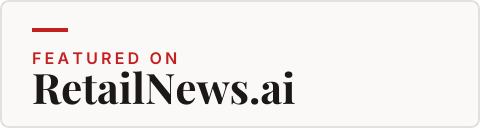
Four versions cover most sites: a horizontal lockup for article footers and sidebars, and a square one for author boxes, podcasts pages and social profiles. Choose the version that matches the colour of the page it will sit on.
Selected: Horizontal, light background
2. Choose where it links
The badge works best when it points at the page that features you, so search for your name, your company or the story. If you cannot find it, the badge will point at the RetailNews.ai homepage instead.
The badge will link to the RetailNews.ai homepage. Only RetailNews.ai pages can be used.
3. Copy the code onto your site
Paste the HTML where you want the badge to appear, most often at the foot of the article or in your about page. If your site only takes Markdown, use the Markdown version. If it cannot take an image at all, a plain text link does the same job.
<a href="https://www.retailnews.ai/" aria-label="Featured on RetailNews.ai">
  <img src="https://www.retailnews.ai/badge/retailnews-badge-light.png"
       srcset="https://www.retailnews.ai/badge/retailnews-badge-light-2x.png 2x"
       width="240" height="64"
       alt="Featured on RetailNews.ai"
       loading="lazy"
       style="max-width:100%;height:auto">
</a>[](https://www.retailnews.ai/)<a href="https://www.retailnews.ai/">Featured on RetailNews.ai</a>How to use it well
Keep the badge as it is supplied. You may scale it up or down, but please do not recolour it, stretch it out of shape or rewrite the wordmark. The light version belongs on pale pages and the dark version on dark ones, so the badge always reads clearly against its background.
Put it somewhere a reader will actually see it: the foot of the article that quotes you, the press section of your site, your podcast show notes or your speaker profile. One badge per page is plenty.
The badge is a citation, not a claim of endorsement. It says that RetailNews.ai covered you; it does not mean we recommend your product or that we reviewed it. Please do not present it as an award or a rating.
If your coverage is taken down or corrected, remove the badge or update the link so it still points at something true.
Questions
Who can use the Featured on RetailNews.ai badge?
Anyone we have interviewed, quoted or covered on RetailNews.ai may add the badge to their own website, LinkedIn page, newsletter or press kit. It is a way for readers to find the original coverage.
Where should the badge link to?
Link it to the article, podcast episode or topic page that features you. If you cannot find that page, link it to the RetailNews.ai homepage.
Can I change the badge colours or wording?
No. The badge is supplied as finished artwork in light and dark versions so it stays recognisable. Resize it, but do not recolour it, stretch it or rewrite the wordmark.
Want to be featured?
We interview retail leaders, cover launches and report from the events that matter. Tell us what you are working on, or see what a partnership with us looks like.